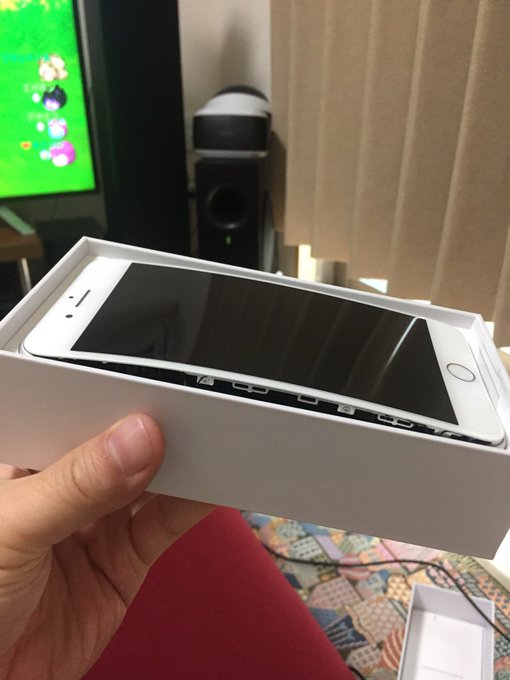
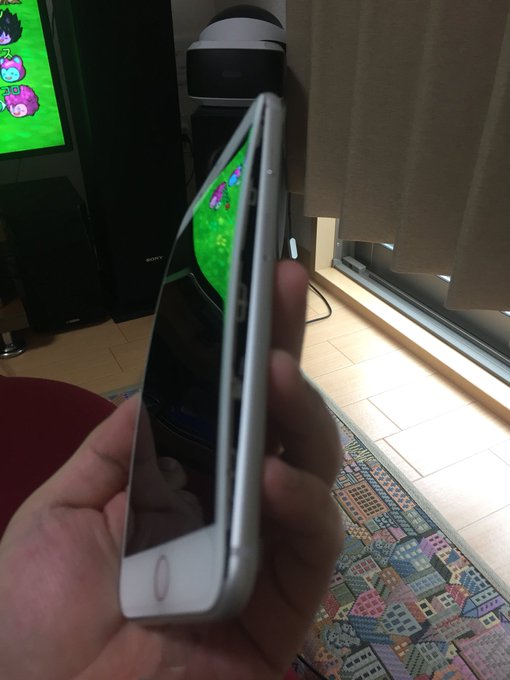
iPhone 8 Is Splitting Due To Battery Swelling


Over the course of past few days, there have been many reports on Chinese news websites and social media that talked about the case of iPhone 8 battery swelling. As a result, the front panel
of the phone is being bent and getting separated from the phone.
The Apple fans would be relieved to know that the company is aware of the issue.”We are aware and are looking into it,” an Apple spokesperson told MacRumors.
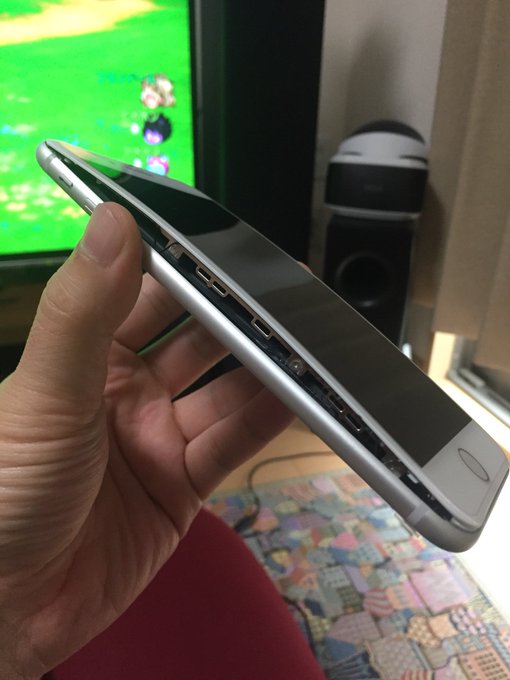
Currently, two iPhone 8 battery swelling cases are being investigated by the company. While one customer is from Taiwan whose iPhone 8 Plus burst open, the other customer is from Japan whose device’s display assembly detached from the aluminum enclosure. Other media reports have come from Greece, Canada, and China as well.
Compared to the millions of iPhone 8 units that have been sold by, the reported cases are less than a dozen. However, as this issue is battery related, one has all the reason to get paranoid after Samsung Note 7 debacle.
Stay tuned with 9jabreezeland, and we’ll be bringing any major iPhone 8 battery swelling update provided. Don’t forget to share your iPhone 8 experiences with us.

Comments

Follow Us

WHAT'S HOT

Steps To Enable Speech Recognition On Windows 10

The accuracy of speech recognition increases through use, and the feature adapts itself to a user’s grammar, word usage, speech patterns, and vocabulary.

Facebook Trying To Get Rid Of Fake, Low-Quality Live Videos

Facebook is updating its Live guidelines to limit the reach of fake and low-quality content. It's explicitly disallowing publishers from posting prerecorded videos as if they're livestreams and it also won't allow for static/looping images or livestreamed polls.

Windows Subsystem For Linux Is Beta No More, Gets “Full Support” In Windows 10 Fall Creators Update

As we told you earlier, WSL on Windows 10  moved out of beta  in August. It still carries the beta tag in Windows 10 Creators Update. Also, it won’t require people to enable developer

How To Connect Android or iOS Phone To Windows 10

The  Continue on PC  feature is currently available to Windows Insiders, but it’ll arrive for regular users once the update starts landing on their PCs. If you’re running an Insider build, you can use the steps mentioned in this post to connect your phone to Windows 10 PC.