
New Updates Coming To Linux Mint’s Software Manager [Linux Mint 18.3]


Despite being an early adopter of a GUI-based package management application, not many updates have been made to the Linux Mint’s home grown tool called Software Manager. Such tools are a handy replacement for the users who aren’t much comfortable with the command
line in Linux distributions.
Linux Mint 18.2 got released recently and the Linux Mint team is eyeing for a major overhaul of the Software Manager as a part of the development cycle for Linux Mint 18.3. “A huge amount of work went into revamping it, making it look modern and polishing it to give a better user experience,” writes Mint project lead Clem Lefebvre in the monthly news letter for July.
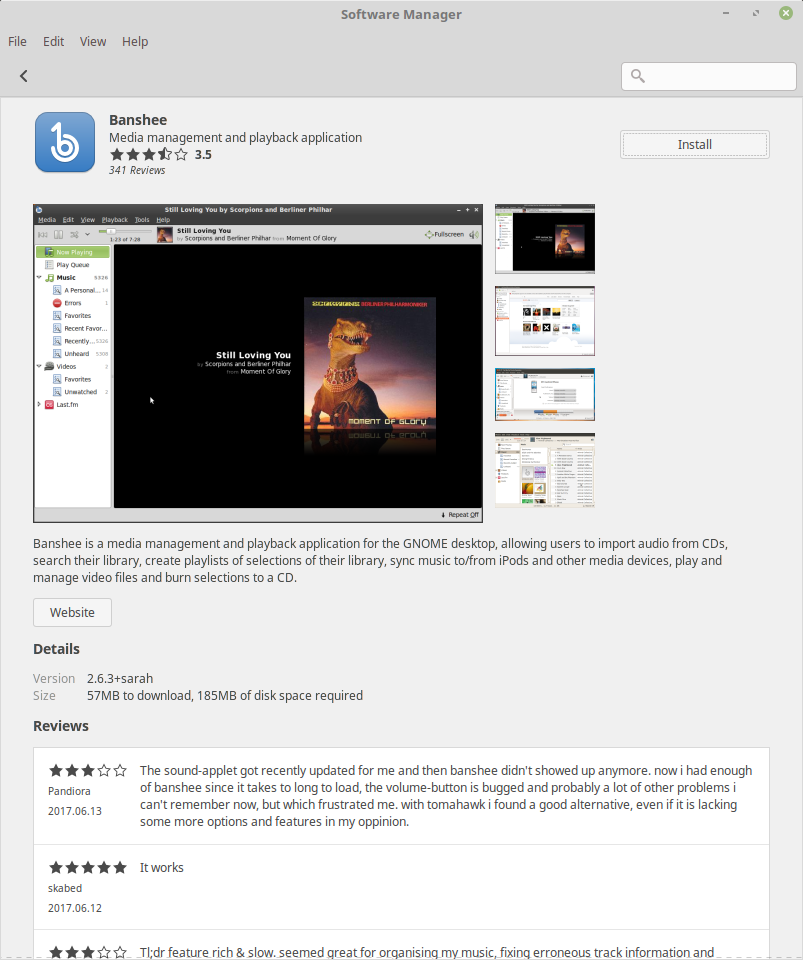
Linux Mint Software Manager
According to the team, efforts have been made to make the application look much cleaner, with its layout inspired by Gnome Software. A shift has been made by porting the entire application to GtK3 from WebKit. This has enabled support for HiDPI.
The team says around 3x boost in the launch time could be observed for Software Manager. By default, the Software Manager runs in user mode while AptDaemon is in the backend. Also, it would ask you to enter passwords less often. In case you enter the password to install/remove a package, it’ll be remembered for a while.

What’s more?

More configuration options have been added to the login screen which now allows people to hide user list and enter user names manually. Automatic login support has been added. The Cinnamon desktop now supports HybirdSleep – a feature which is a mixture of hibernation and sleep.

Comments

Follow Us

WHAT'S HOT

How To Speed Up Windows Using ReadyBoost And USB Drive? Does It Still Work?

In Microsoft Windows, ReadyBoost is a software feature that speeds up the system by storing application files and data as cache in a USB drive. This is beneficial in case the system is running a slow hard drive. The ReadyBoost works with USB drives, SD cards, and CF cards. However, it may not be able to deliver considerable performance in the

Which Is The Best Operating System For Gaming Among SteamOS , Ubuntu And Windows 10

Years ago, MS-DOS was the ‘go to’ operating system when you wanted to engage in prolonged gaming sessions but its complexity required that a better alternative should be provided to the masses that will also feature a unique interface for easy use. After years of

How To Install Ubuntu MATE For The Raspberry Pi 2 and Raspberry Pi 3

Ubuntu MATE:  We have done what we can to optimise the build for the Raspberry Pi 2 and Raspberry Pi 3, you can comfortably use applications such as LibreOffice and Firefox. But the microSDHC I/O throughput is a bottleneck so  we  highly  recommend that you use a Class 6 or Class 10 microSDHC  card.  Ubuntu MATE 16.04 also fully supports the built-in Bluetooth and Wifi on

Raspberry Pi vs. MacBook Pro

You might be knowing that Raspberry Pi 3 comes with a good performance improvement as compared to its prior versions. But, is it good enough to replace your primary laptop? A developer, after losing his MacBook Pro, decided to use Linux on Raspberry Pi as a