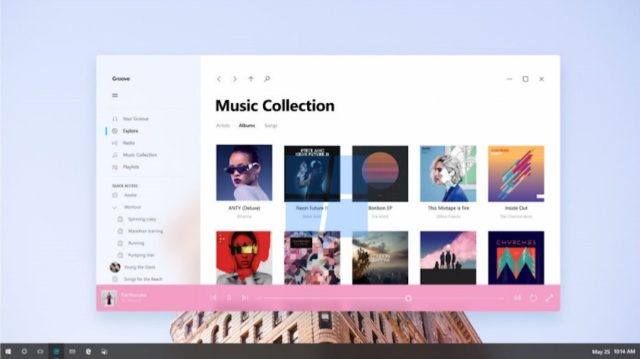
he second day of Microsoft’s Build 2017 brings the announcement of the next major update for Windows 10. The successor to the Creators Update will be known as Fall Creators Update.
It will be rolled out sometime in September if Microsoft adheres to their streamlined annual release cycle including two updates per year. This is not a hard and fast rule as Microsoft would delay the update for a while if it’s not ready till the time of scheduled release.
Windows 10 Fall Creators Update Features
Regarding the Fall Creators Update features, only a few things are known till now. A set of visual changes will be brought in the form of Windows Fluent Design System, a new design language for Windows which was earlier known as Project Neon. Microsoft has already released a Neon-based Photos app on the Insider platform.
A new timeline feature will arrive with the Fall Creators Update allowing users to jump back to activities done in the past. There will a smart clipboard which will let you share clipboard content across different devices, even Android and iOS.
The company will also introduce the enhanced Microsoft Graph API as an effort to bridge the gap across multiple device platforms.
OneDrive integration will also be improved in Windows 10 enabling control over the time when files are synced from the cloud.
Support for a variety of VR headsets is already present in Windows 10, but it’s currently limited to developers. With the Fall Creators Update, Microsoft will allow common Windows users to take advantage of the feature.
Adhering to its name, Fall Creators Update will also ship with a new creative app. Microsoft is currently close-mouthed regarding any details about the app.
If you have something to add, drop your thoughts and feedback inside comments below.
Comments
Post a Comment