
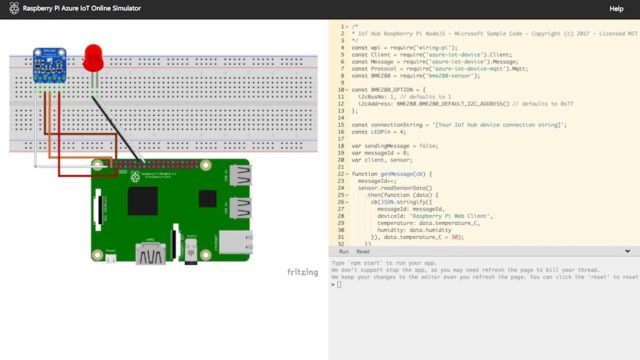
Now you don’t need a physical Raspberry Pi to get started tinkering with hardware by running code? With the help of Microsoft’s open source Raspberry Pi Simulator, you can do the same right inside your web browser. You can also connect it to the Azure IoT Hub
and collect sensor data. Currently, this simulator is in the preview version.aspberry Pi recently won UK’s top engineering honor, Robert Award, which is awarded by the Royal Academy of Engineering. Over the years, Raspberry Pi has established itself as the go-to solution for affordable tinkering and IoT development. But, do you always need a physical Raspberry Pi to get started with development?
As an answer to this question, Microsoft is building an online Raspberry Pi Simulator that allows you to run your code inside your browser and control the simulated hardware. You can try it out here.
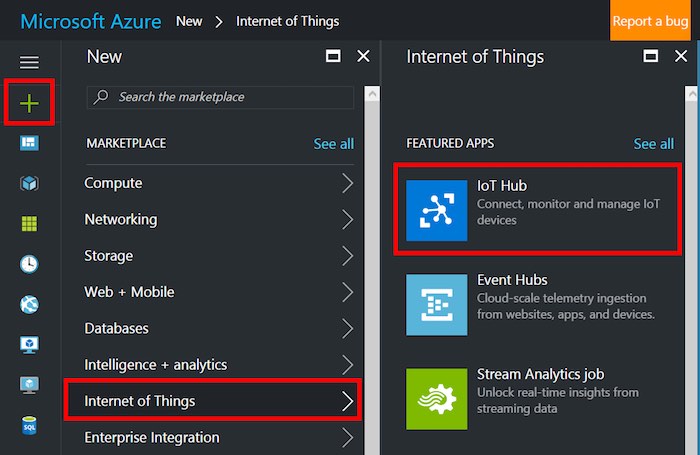
To help you get started with the Raspberry Pi simulator, Microsoft has also prepared a basic guide. Using this guide, you can easily connect the Pi Simulator to the cloud using Azure IoT Hub.
As described in the guide, the online Raspberry Pi Simulator has three parts:
- Assembly Area: The default circuit of the simulator is connected to a LED and a BME280 sensor. Currently, you can’t do customization in the preview version.
- Coding Area: In the right pane, you get an online code editor that lets you tinker with Pi. The default setup lets you collect data from BME280 sensor and sets it to your Azure IoT Hub.
- Integrated Console Windows: The console window displays the output of your code. You get three buttons–Run, Reset, Fold/Expand–to take care of the code and window.
Raspberry Pi Simulator is open source
One should note that the Raspberry Pi Web Simulator is currently in the preview version. As the source code of simulator is public, you can go ahead and fork it or make a contribution to make it even better.
So, are you planning on working on this online Raspberry Pi simulator? Do give it a try and let us know your experiences.
Comments
Post a Comment