

With the increasing rise in the intensity and volume of online threats, our computers and smartphones are becoming more prone to attacks. In such situations, it becomes necessary to look for a capable antivirus solution to make sure that your online life is safe and sound. Along
the similar lines, Russian cybersecurity giant has released a free version of its antivirus named Kaspersky Free.
This news comes in the wake of increasing accusations from the intelligence agencies in the States. Claims have been made that Kaspersky has been working under the influence of Russian government.
Coming back to the Kaspersky’s free antivirus, company’s boss Eugene Kaspersky has said that he expects to witness an increase in the quality of the protection of all internet users. As this security solution is free, more number of people will install it on their computers and indirectly help the company to improve its virus definitions.
What does Kaspersky Free Antivirus have to offer?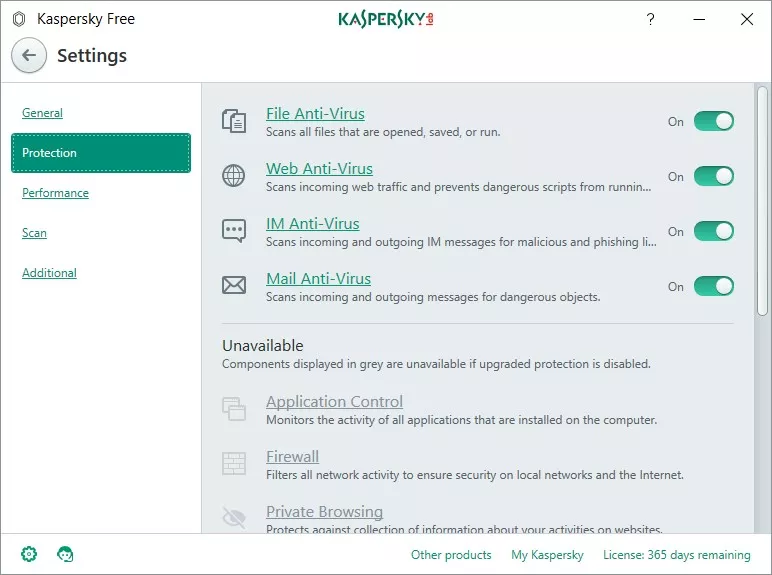
Just in case you’re wondering about the capabilities of this free antivirus software from Kaspersky, let me tell you that it promises to deliver all the essential and necessary features a potent security software must possess in its arsenal. It has email, file, and web antivirus. The software will receive automatic updates and comes with quarantine, antiphishing, and self-defense features.
Moreover, you can also rest assured while working with USB disks and other external storage solutions. The Kaspersky free antivirus also scans all the incoming and outgoing instant messages.
As the company wishes to make sure that its offering reaches tons of people, Kaspersky Free has been made lightweight. The company also promises to stay away from popular tactics like habit-tracking of the users.
When will my country get Kaspersky Free?
The company started testing Kaspersky Free last year in Russia-Ukraine-Belarus region, China, and Nordic countries. In the upcoming days, on July 25, to be precise, this security solution will be officially launched all over the world. Kaspersky Free Antivirus is already available in many countries.
You can check the availability of the software in your region from this map: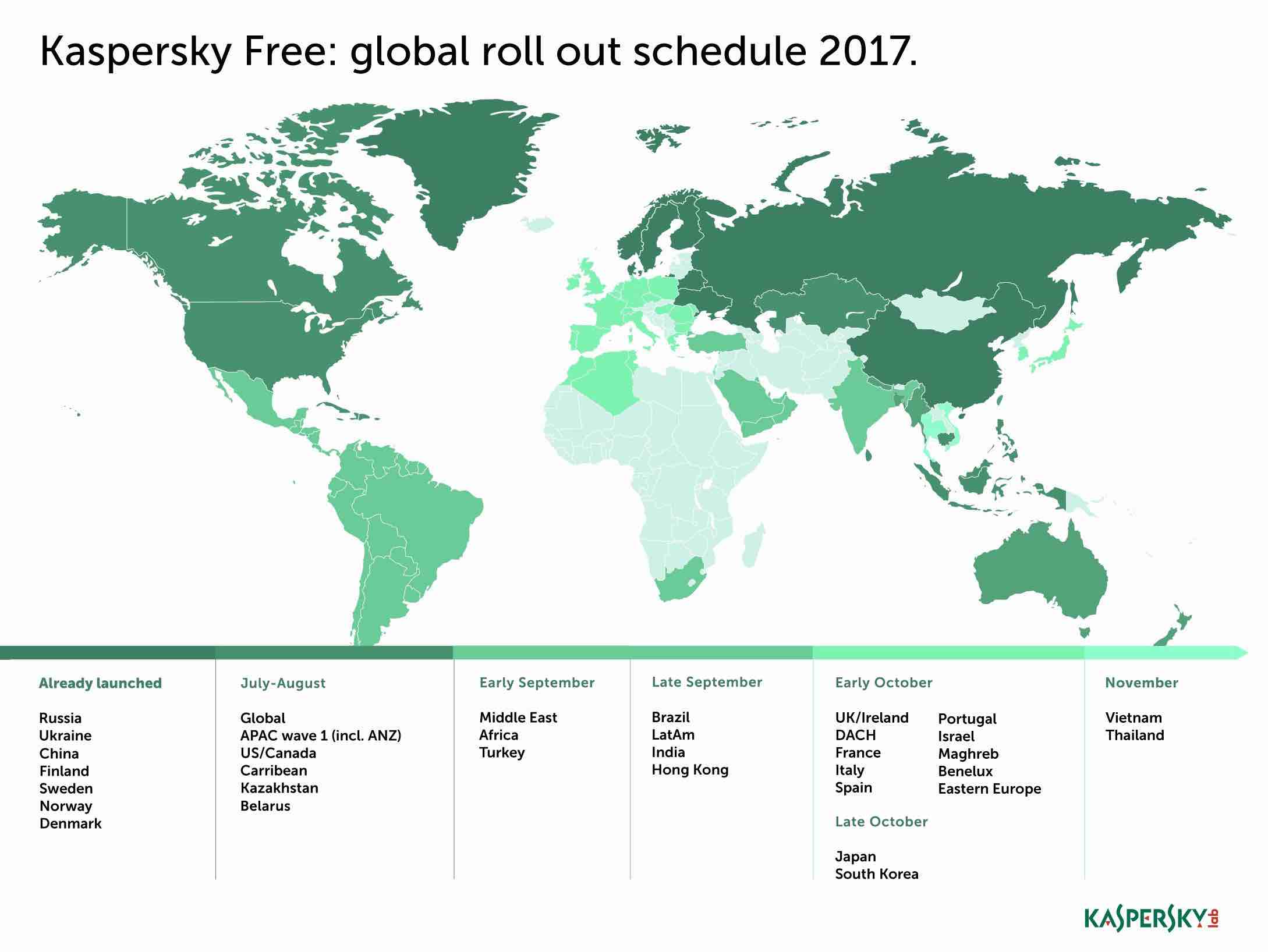
Please note that the company doesn’t intend to make its freebie compete with its premium offerings, that won’t sense. It lacks many features like Parental Control, VPN, Online Payment Protection, etc.
Download Kaspersky Free Antivirus
Even though Kaspersky Free lacks many premium features, it has all the basic features that one needs while surfing the web. You can download it by visiting this link. At the moment, it might be possible that Kaspersky Free could be unavailable in your region.
Comments
Post a Comment