
IPhone is one of the most influential consumer products of our times. For millions of people, it has become an alternative to many other gadgets like camera, computer, watch, etc. While such dependence on a small device has given us more power and convenience, we are also risking a
lot.
Yes, I’m talking about data losses due to multiple reasons like accidental deletion, smartphone damage, faulty upgrades etc. To help you out with such issues there are many free and paid data recovery solutions available, but few of them are worthy. In this article, I’m going to tell you about Syncios iOS Data Recovery, which is a handy recovery tool to help you get your iOS data back.
Before going ahead and telling you more about Syncios Data Recovery tool and guiding you through its features, let me tell you that it can be installed on macOS 10.9 or above and Windows 10, 8, 7, and Vista.
Syncios iOS Data Recovery For Mac
Supported file types, iOS devices, and recovery circumstances
This iOS recovery tool lets you regain lost data from almost all popular iOS devices, including iPhone 7, iPhone 7 Plus, iPhone 6, iPhone 7s, iPad Pro, iPod touch 6, etc. The supported files that can be recovered by using this tool include pictures, videos, iMessage, WhatsApp chats, call history, notes etc.
In the picture below, you can see the complete list of supported devices and file types that are recoverable: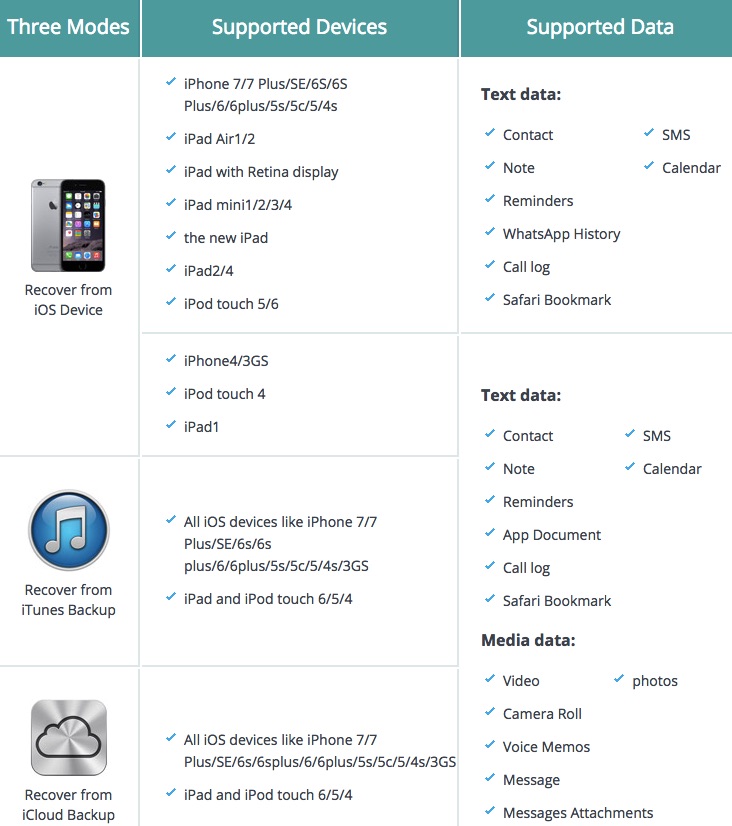
The makers of the tool claim that it can help you recover from data loss due to different circumstances like the wrong operation, jailbreaking failure, factory setting restore on iPhone, broken iPhone, water damage, etc. You can also end up losing precious data due to other factors.
3 ways to recover lost data
Just in case you’re wondering about the types of backups from which Syncios can extract data, let me tell you that it takes care of the all 3 major modes. You can download the tool by visiting this link.
iOS Device: You can use this iOS recovery tool to directly perform a scan of your iOS device and preview the lost data.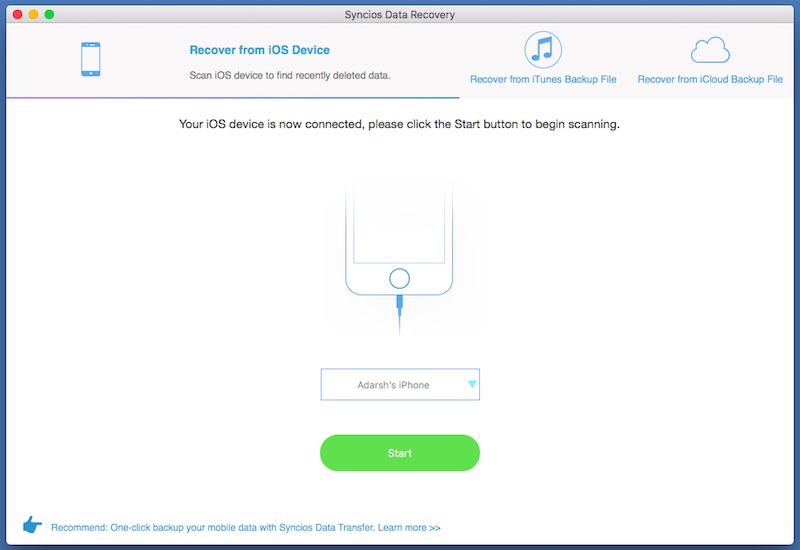
To get started with the process, you need to first connect your iOS device to the computer using the USB-lightning cable. It’ll show you an interface as shown below. As the first tab of iOS Device scanning is automatically selected, you need to simply press the Start button to proceed with the scanning. During the scanning process, please make sure that your device is connected to the computer and it’s sufficiently charged.
iTunes backup: The second option involves extracting the iTunes backup file and restoring the data as per your will.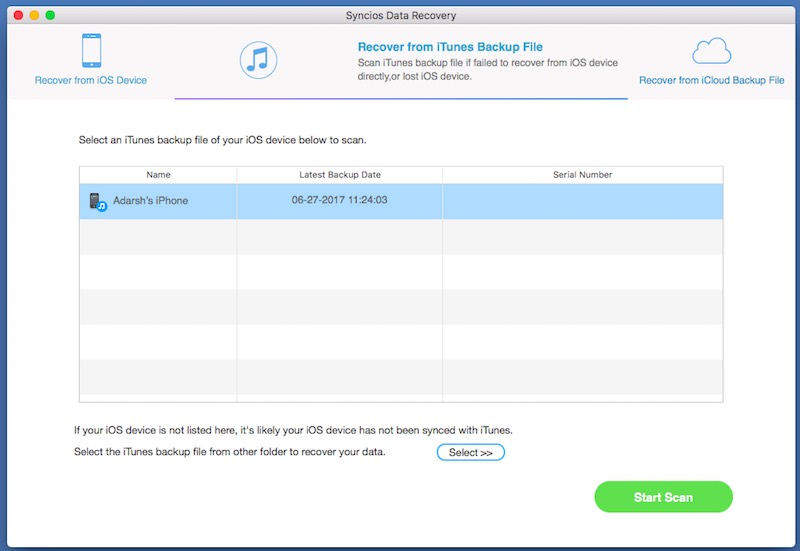
To proceed with the scanning process, select the Recover from iTunes Backup File from the top tab. This will show the iTunes backup files for your iOS device. Choose the one you’d like to recover and press the Start button. This will start the scanning process and list all the recoverable data. You can choose the desired file type from the left panel and narrow down the results. Finally, press the recover button and select the recovery location.
iCloud backup: The third option involves the cloud. Syncios also gives you the option to browse your iCloud backup and use it to restore the data on Windows PC or Mac.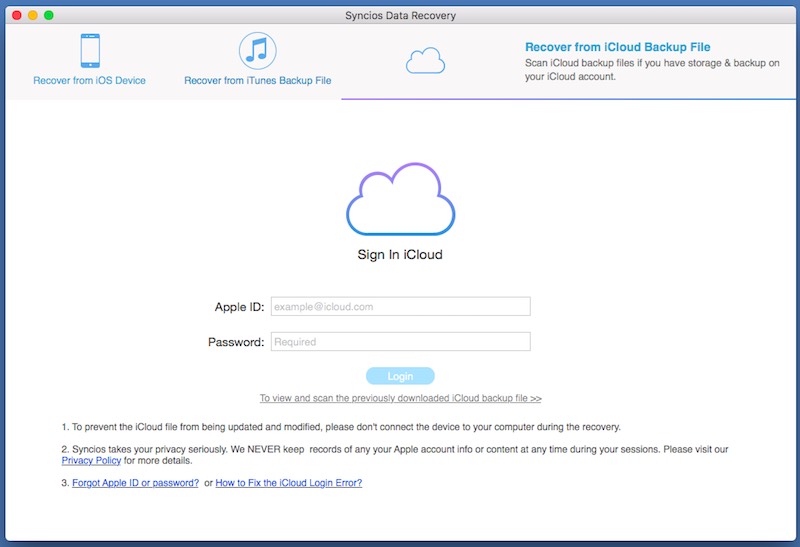
In the cloud recovery option, enter your iCloud account details and press Login button. Please make sure that your internet connection remains working during this process.
An inbuilt preview option is its one of the strongest points that allows you to take a look at the scanned data before making the final recovery. All the scanned data is categorized in 3 types — Photos, Messages & Call log, and Memos & Others. You can select a tab and tap on it to see the contents. Finally, press the recover button and save the files.
The latest version of Syncios Data Recover tool for Mac is v1.1.7. The new features added to this release includes support for downloading WhatsApp and attachments from iCloud backup as well as recovery from SMS, Call History, WhatsApp, Contacts, and Notes to the device.
You can go ahead and download Syncios iOS Data Recovery for Windows and Mac by visiting this link.
Did you find this article on iOS data recovery helpful? Don’t forget to share your views with us.
Very nice blog... This post is helpful to understand cloud recovery option on iOS. Thanks for sharing
ReplyDelete