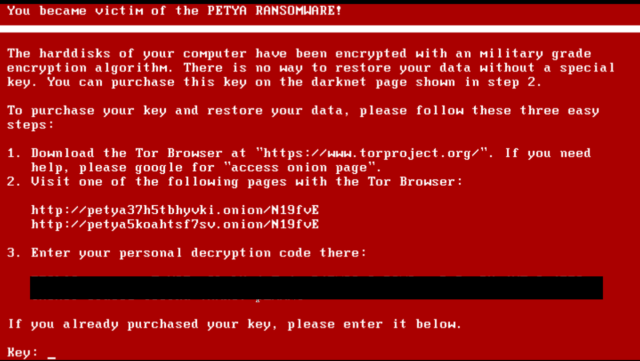
The notorious hacker, Janus, who was behind original Petya ransomware is out of the shadows, probably to let people know that he isn’t behind the 2017 Petya attack. He has also told that he’s taking a look at the code to find some crack. Notably, the new Petya
malware is a data wiper which disguises itself as a ransomware.etya malware, a wiper malware which is disguising itself as a ransomware, has been spreading across the world and mainly threatening enterprises and businesses. The original Petya ransomware appeared in 2016; it was created by Janus Cybercrime Solutions.
After the outbreak of original Petya, the Twitter account of Janus @JanusSecretary went dark. However, after the Petya (also called NotPetya) made another appearance in 2017, the Twitter account was reactivated. If you were wondering that original Petya and 2017’s outbreak has been sponsored by Janus, @JanusSecretary wants to tell you that it’s false.
In a Twitter update, Janus has tweeted that it’s willing to try cracking 2017 Petya wiper. Here’s what they said:
we're back havin a look in "notpetya" maybe it's crackable with our privkey #petya @hasherezade sadly missed ;)

As pointed out by The Daily Beast, this tweet from an admitted notorious hacker is a proof that he wasn’t involved in this crime. Many experts from the cyber security fraternity have expressed similar emotions.
For those who don’t know about Janus, he launched a darknet website based on a black-market business model called Ransomware-as-a-Service (RaaS). According to Gizmodo, they offered access to sophisticated ransomware to criminals.
In the past, Petya was distributed via emails and spambot. Notably, Janus also offered technical support to other cyber criminals.
Read our other articles on Petya ‘ransomware’ —
Comments
Post a Comment