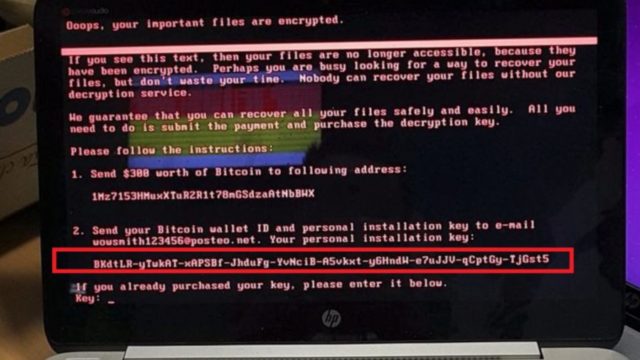
Petya malware, which is being seen as WannaCry’s obvious successor, isn’t a ransomware. It actually disguises itself as one to lure media coverage. Instead, it’s a wiper malware which destroys your data in such a manner that the possibilities of the
recovery of files are thin. Hence, even paying ransom won’t get your data back.hen security firms like Kaspersky, Symantec, and Avira reported about the Petya malware, they called it a ransomware. They had every reason to do so because of its activities like showing a ransom message which demanded $300 in Bitcoin. But, according to the latest development, it looks like this malware might not be a ransomware at all.
If you look at the definition of a ransomware–many of you would be already knowing that–it talks about a malware that holds your files for a ransom and unlocks them if you pay a hefty fee. On the contrary, Petya is a wiper–it doesn’t plan to give you the files back even if you pay the ransom.
The researchers from Comae Technologies and Kaspersky Lab have studied the malware deeply and independently arrived at the conclusion that Petya malware isn’t a ransomware, it’a wiper.
How is a ransomware different from a wiper? Is Petya wiper more dangerous?
As said above, a wiper isn’t interested in giving your data back, which is a totally different motive as compared to a ransomware. While a ransomware aims to make money, a wiper works with the aim of destruction in such a manner that the possibilities of the recovery of files in minimal.
This behavior is different from 2016 Petya malware where it was able to revert its changes. The 2017 Petya’s damage is irreversible, and it purposely overwrites the MBR section of the disk with the new bootloader.
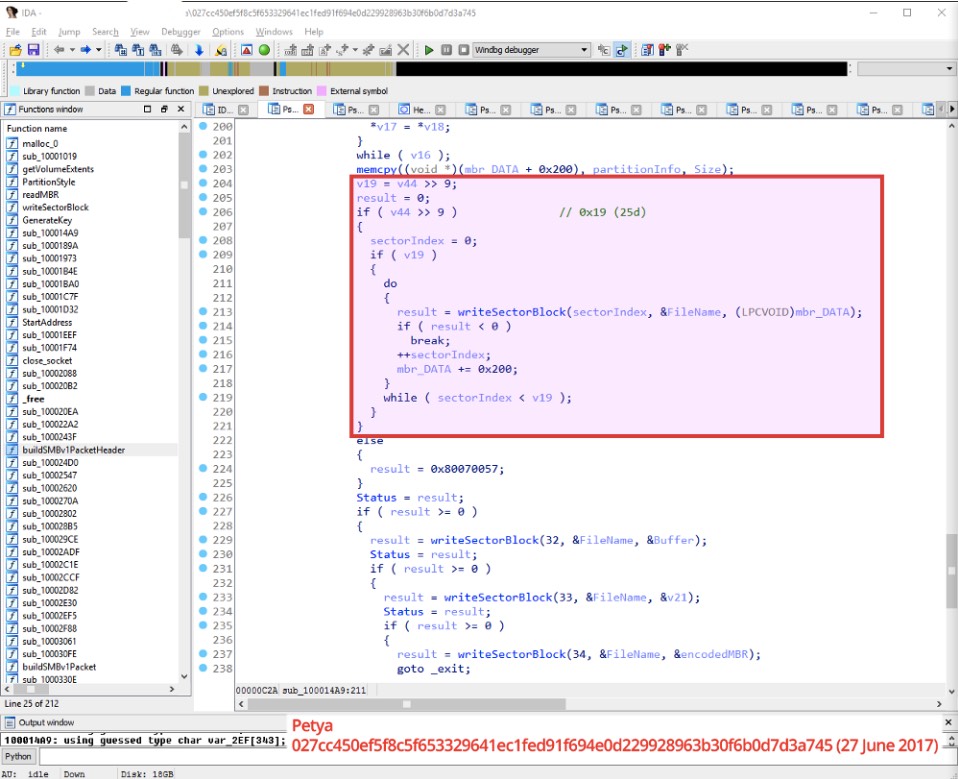
Kaspersky Lab has said that Petya disguises itself as a ransomware and shows merely randomized data as the installation key. So, even the attacker can’t extract any decryption information from such data and the victim won’t be able to decrypt any disk using the key.
Moreover, the users infected with Petya wiper are shown an email address which was shut down by the email provider Posteo.
Comae has concluded that Petya pretends to be a ransomware to lure the media, which makes perfect sense after the amount of attention WannaCry got.
Comments
Post a Comment