
With the launch of Windows 10 S, Microsoft claimed that it’s an extra-secure operating system that’s protected against all kinds of ransomware. To test the claims, folks at ZDNet hired a security firm. As a result, the hackers were able to breach Windows 10 S within 3
hours by using Microsoft Word’s handling of macros.t its Build 2017 Developer Conference, Microsoft unveiled a new version of Windows 10, which was called Windows 10 S (here’s how it’s different from Windows 10). Aimed primarily at schools and education sector, this operating system doesn’t allow one to install applications other than those from Windows Store. Microsoft said that it was an additional step taken to enhance the security.
While this inability to install foreign applications on Windows 10 S was bashed by many, Microsoft further declared that Windows 10 S can’t be targetted by any kind of ransomware. That’s a bold claim.
So, to check the validity of this claim, the folks at ZDNet hired the security firm Hacker House. They put a simple question in front of Matthew Hickey, a security researcher and co-founder of Hacker House: “Will ransomware install on this operating system?”
Macros tricked Microsoft once again
Windows 10 S did present some hurdles. Apart from the only-Windows-Store-apps limitation, there isn’t any Command Prompt or PowerShell. The hacker expected more restrictions on trying to run processes with escalated privileges, but he was surprised to realize how easy it was to hack Windows 10 S.
He made use of a longtime foe — macros. Hickey was able to exploit how Word handles and processes macros. He created a notorious, macro-based Word file. Upon opening, the file allowed him to launch a reflective DLL injection attack. This way he bypassed the Windows Store restriction put by Microsoft because Word is itself available in Windows Store.
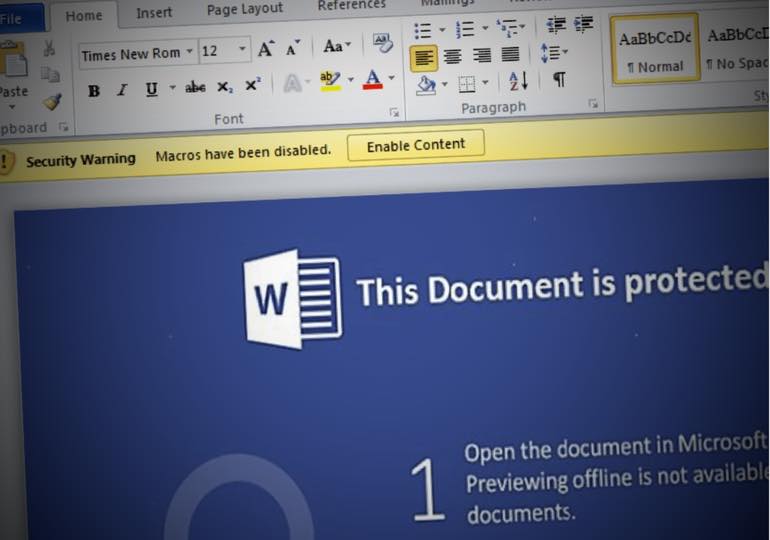
Please note that Word’s protected view feature blocks the macros in files which are downloaded from the internet or email. That’s why Hickey downloaded the file via a network share. Windows considers it a trusted source and gives full access.
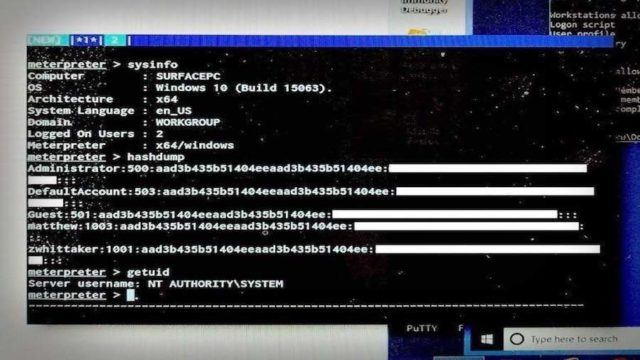
By running the code, he was able to download a payload using Metasploit (here are some more hacking tools) and connect the OS to his C&C server. This way, he was able to remotely control the computer. “If I wanted to install ransomware, that could be loaded on,” he said. “It’s game over.”
You can read the complete story on Windows 10 S hack here on ZDNet.
Comments
Post a Comment