
oing out of cellular network coverage area is one of the many problems faced by trekkers, mountaineers, and off-roaders. Sometimes, the situation gets worse when the members of a group separate in an unknown location.
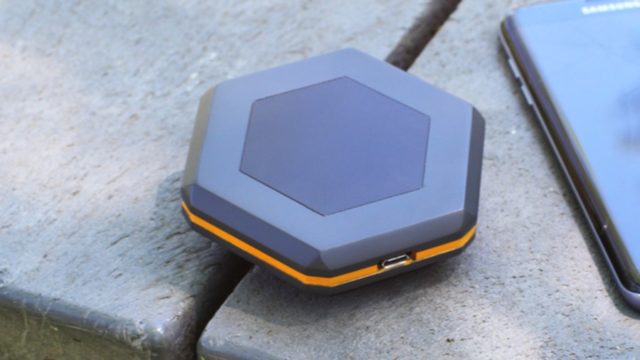
Sonnet is a new device which wants to achieve decentralized mobile communications and allow people to send text messages, GPS coordinates, images, and voice recordings even when their smartphone can’t find any network connectivity.
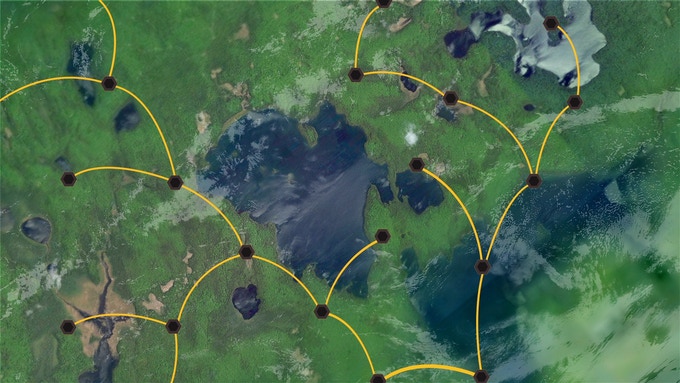
Sonnet devices can set up mesh network and talk to other Sonnet devices in its range which is up to 1 mile for crowded areas like cities, while it can go up to 6 miles for areas where a clear line of sight is possible.
Your smartphone can connect to a Sonnet device via WiFi which uses long-range radio waves to talk to other devices. The Sonnet web app lets your share details to other users.
Other than communication, Sonnet takes the advantage of the mesh network to contact Sonnet devices that can’t be reached directly. Devices in the mid-way can convey the message to the recipient device and the message remains encrypted to prevent interception.
Sonnet is powered using a 4,000maH battery which keeps it alive for around 24 hours. It can also be used to charge your smartphone’s battery.
The Sonnet also features a Panic button. When pressed for five seconds, it can send an emergency alert to nearby Sonnet devices. The web app also has Offline maps which can help you at times when you can’t access the internet. It’s also possible to leave virtual breadcrumbs on the map to create a trail of your path.
Sonnet is developed by a Toronto-based startup called Sonnet Labs. Their Kickstarter project has currently managed to raise $1,588 (at the time of writing) from 13 backers, but it’s yet to reach the goal of $17,000.
Got something to add? Drop your thoughts and feedback.
Comments
Post a Comment