
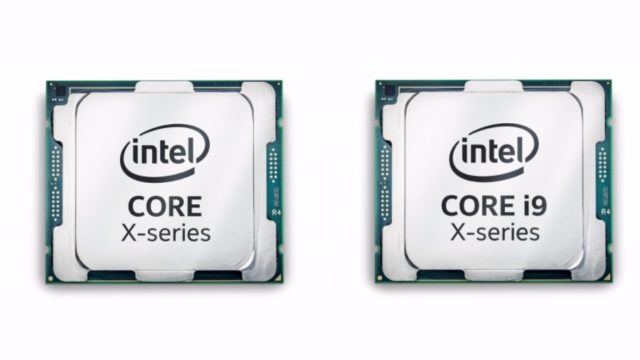
Intel has announced its new line of Core X series CPUs based on the Skylake-X and Kabylake-X architectures. Along with upgraded versions of Core i5 and i7 CPUs, the series also introduces four Core i9 CPUs for the first time. The new flagship Intel Core i9
Extreme, which is released separately, features 18 cores.t has turned out that the rumors about Intel’s new Core i9 processors were actually true. At Computex 2017, the silicon giant announced a new generation of the processor family called Intel Core X-Series. It brings more powerful versions of the existing Core-i5 and Core-i7 desktop CPUs along with the new Core-i9 CPUs.
Most of the Core X CPUs are built using the enhanced version of Intel’s older architecture, known as Skylake-X which powers most of the CPUs in the latest release catalog. There are Kaby Lake-X processors as well but there aren’t much powerful and there is only 4-core CPU option. All of these CPUs in the Intel Core X family will sit in the LGA 2066 socket aka Socket R4.
There are Kaby Lake-X processors as well but they aren’t much powerful and there is only 4-core CPU option. All of these CPUs in the Intel Core X family will sit in the LGA 2066 socket aka Socket R4.
Intel has also released the new X299 chipset to go on with the X series CPUs. The company will be pushing out X299 chipset-based motherboards in the coming days.
Regarding the pricing, it starts from $242 for Intel Core i5-7640X (4 cores, 4 threads) and goes all the way to $1699 for Intel Core i9-7960X (16 cores, 32 threads).
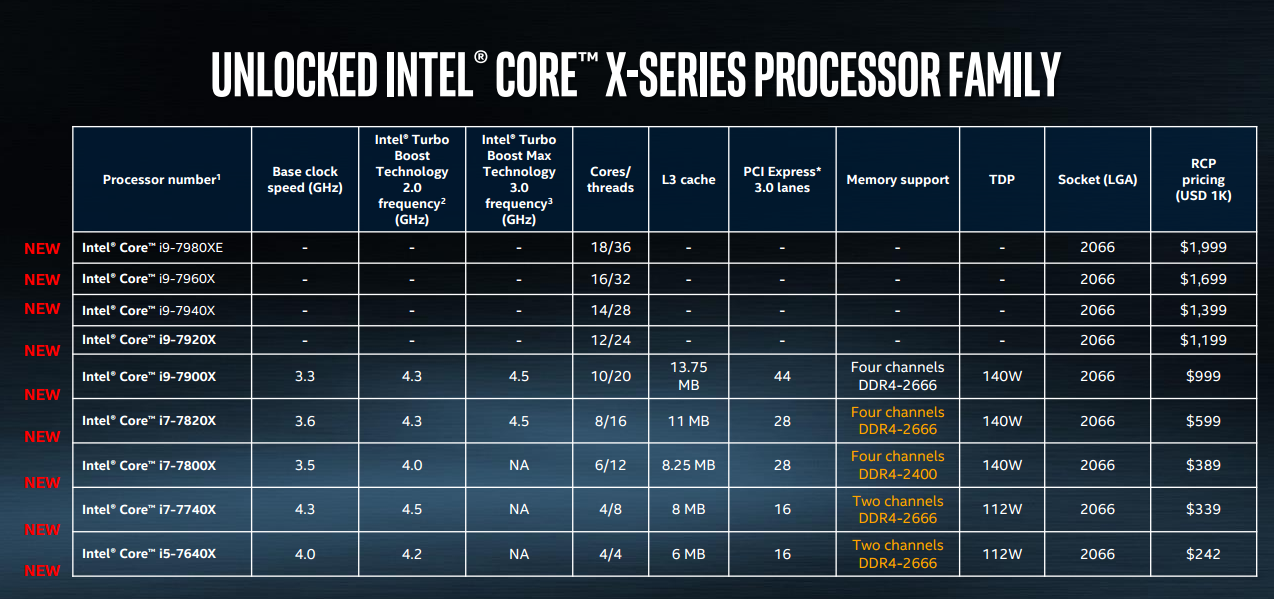
Intel says that Core X series is aimed at professionals and gaming enthusiasts. The processors support dual-channel (Kaby Lake-X) and quad channel DDR4 memory and are a great fit for a plethora of needs such as 12K gaming and video editing, enhanced VR support using multiple discrete GPUs and displays.
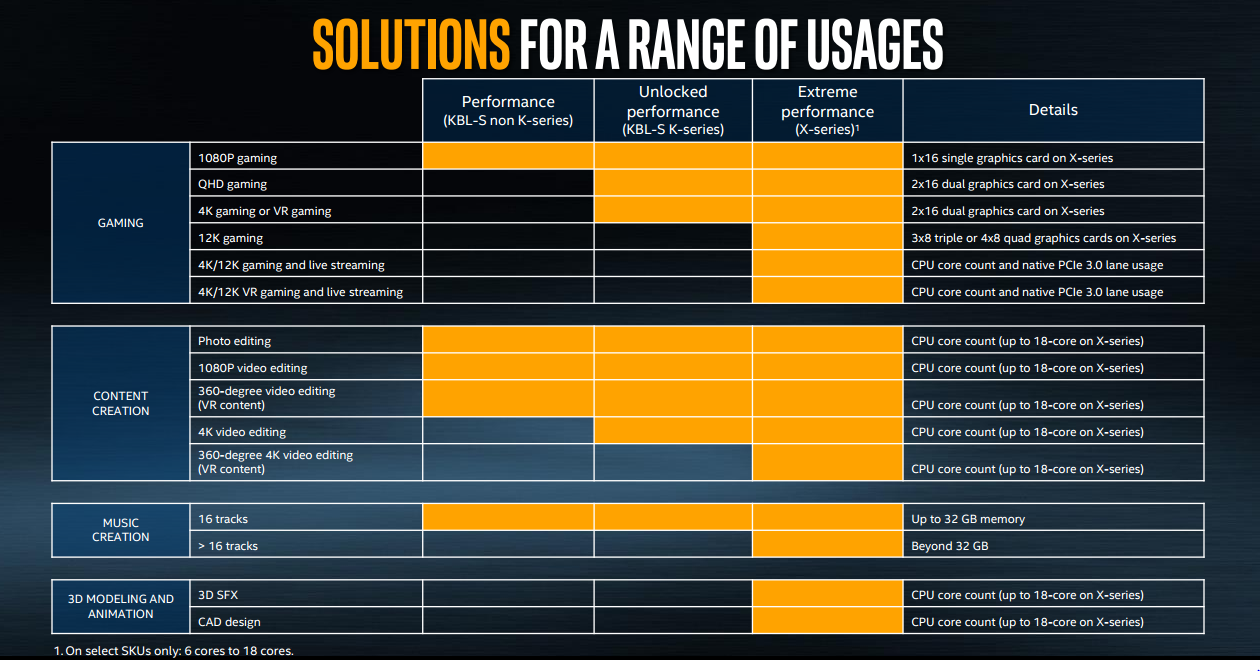
For further improvement in performance, Intel has introduced Turbo Boost Max 3.0, which in the case of Core i9 escalates the clock frequency to 4.5GHz.
Intel claims that these processors outperform the previous generation. They’re 10% faster during multithread processing and 15% during single thread processing.
Core X CPUs can have up to 44 PCIe 3.0 lanes allowing users take advantage of external graphics cards, faster SSDs and Thunderbolt 3 interface. Intel recently announced they would make Thunderbolt 3 royalty-free and integrate into future CPUs.
Intel Core i9 Extreme
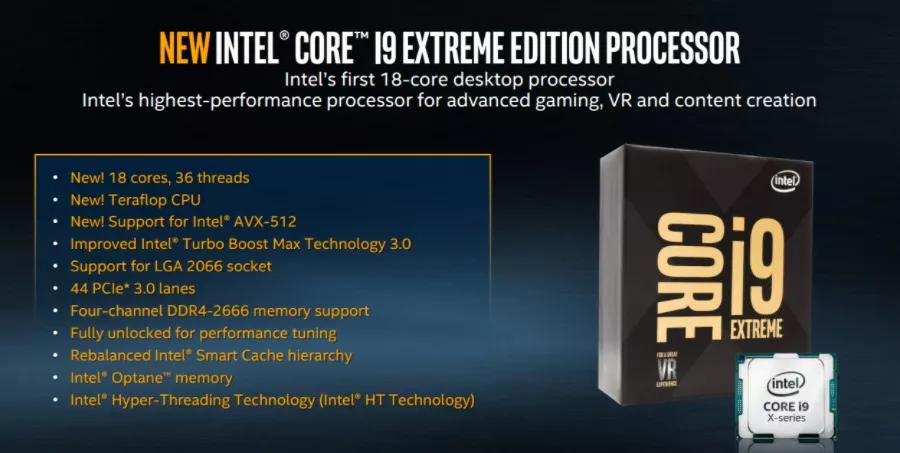
Core i9 Extreme, featuring 18 cores and 36 threads, is released separately from the Core X series. Intel’s flagship desktop processor comes with a $1,999 price tag which is far beyond a dreamer’s budget. Obviously, it isn’t intended for them.
Soon, we’ll be buying PCs packed with Intel high-end processor family. The company has partnered with various PC hardware manufacturers including Dell, Asus, Gigabytes, HP, Acer, MSI, Origin, etc. and Amazon for the sale of standalone CPUs.
8th Gen Intel Core CPUs
Intel has also dropped some news about the upcoming 8th Intel Core CPUs based on Intel’s 14nm Coffee Lake architecture. The company claims, according to the latest test results, that their next generation processors now have a performance of around 30% than current processors based on the Kaby Lake architecture.
If you have something to add, drop your thoughts and feedback inside comments below.
Comments
Post a Comment