
You might be using a media player daily to watch movies and videos, but few of you would be knowing that you can stream online videos using VLC. You can play online music and videos from like YouTube etc. The steps to network stream the content from these sources are pretty straightforward, and anyone can watch videos with just a few clicks.
n this article, I’m repeating my previous praises for the VLC media player and I know that I’m not committing a crime. Why? Because we all know that VLC is one of the best media players around. Apart from being free and open-source, VLC is known for its simplicity and the ability to play almost any video formats one needs.
In the past, we have already told you about few handful VLC media player tips and tricks, like converting audio and video files to any formats using VLC, download YouTube videos using VLC, and enabling hardware acceleration in VLC to save battery.
In this tutorial, I will be telling you about one more amazing feature that your VLC media player is having, i.e., the ability to stream online videos using VLC. This method will work on Windows, Mac, and Linux, but the option may differ a little. Don’t confuse this method with using VLC for broadcasting a live stream. That’s a different thing and I’ll be telling you about it in another VLC trick article.
Stream Online Videos Using VLC In Windows/Linux
The process of streaming videos and music with the help of VLC is very straightforward. The method is almost same in Windows and Linux. Here are the steps needed:
- First, copy the URL of the online video (YouTube, etc.) from the Address Bar of your browser.
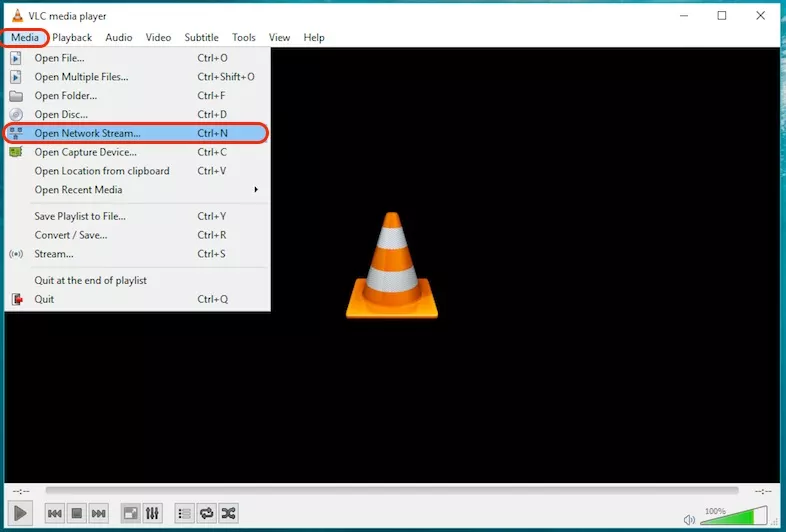
- Now, open VLC media player and then click Media from Menu Bar.
- Locate the Open Network Stream; alternatively, you can press CTRL+N for the same.
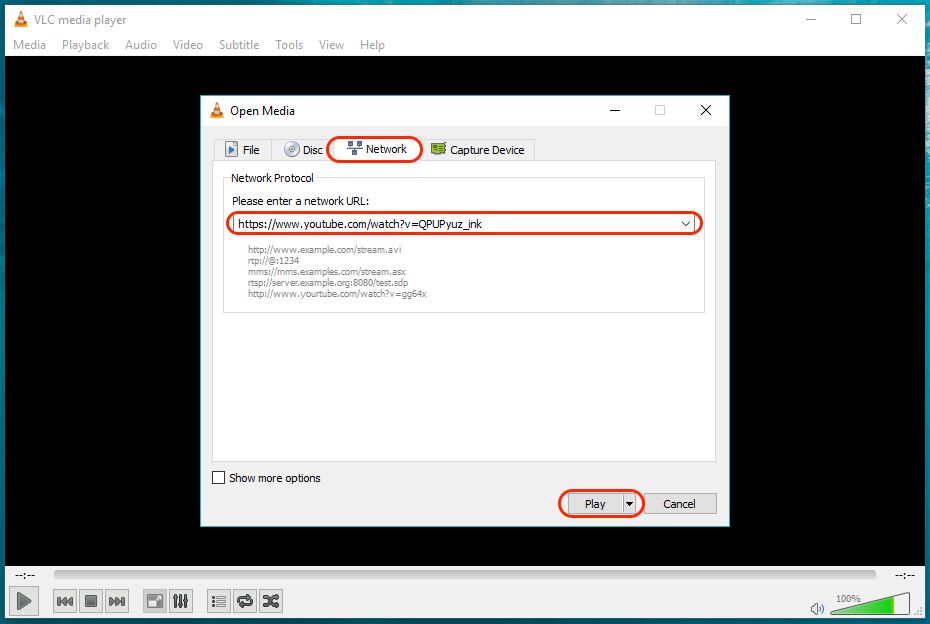
- Now, locate and tap on Network tab. Here, paste the URL and click Play.
Bingo! Your online video will start streaming in your VLC media player.
Play Online Videos Using VLC In Mac
The steps needed to stream online videos using VLC on a Mac are almost same as Windows and Linux. With some minor differences, here is how to do it:
- Copy the URL from the Address Bar.
- Now, Open the VLC media player and then click on File.
- Locate the Open Network Stream; alternatively, you can press Command+N for the same.
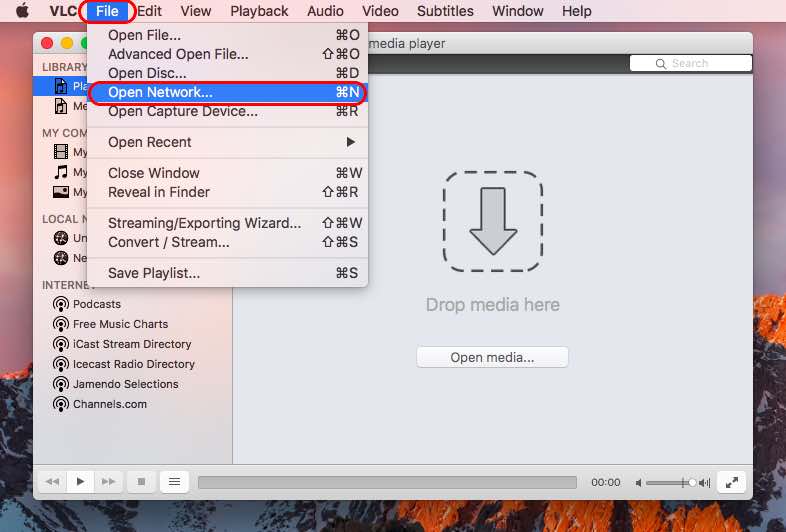
- Now, locate and tap on Network tab. There, paste the URL there and click Open.
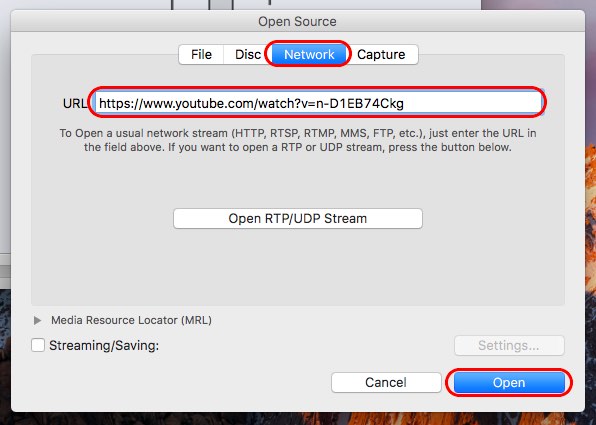
So, this was the method to run online videos in your VLC media player. Using this method you can stream music, videos, and movies.
Did we miss something in this VLC network stream tutorial? Do you have any other cool VLC tips or trick that you want to share with us? Let us know in comments below.
Comments
Post a Comment