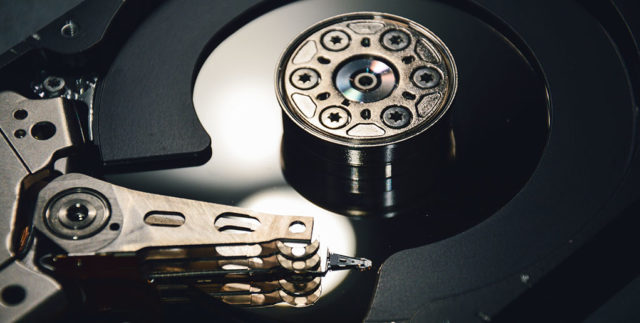
Computer technicians list freeing up disk space as one of the top reasons to speed up your computer system. In a majority of cases, this advice has been busted through the use of extensive tests and detailed findings. Here, we will be explaining that there are other
reasons associated with computer storage that leads to speeding up systems and how freeing up that disk space is not directly proportional to that ‘myth of old.’rrespective of how powerful the rest of the components your PC is boasting, perhaps the biggest performance bottlenecks that makes or breaks the speed of the system happens to be its storage. Configuring a system with top-notch hardware is the right idea but failing to upgrade your hard drive or replace it with a speedier solid-state drive will only result in performance degradation over time.
The slow-down will not be noticeable initially, but as you gradually start to fill up that existing storage, it is only a matter of time before your impressive configuration starts behaving like a system that was built 10 years ago. There is actually a misconception that emptying disk space will speed up your PC. So, let’s clear that doubt first-
Freeing up disk space does not speed up computers, but reduces file fragmentation chances
Novice computer systems builders often receive a common helping hand that freeing up unnecessary disk space leads to progress of your system’s revitalization. Simply stated, remove programs and other chunks of files that you don’t use on a daily basis, and your PC will immediately function like you powered it on for the very first time.
The truth is that freeing up disk space does not really speed up your PC. Instead, leaving a small amount of space intact reduces the chances of file fragmentation, which is the number one reason why your hard drive starts to act sluggishly after a few months. So in short, file fragmentation is the real issue and if it is not checked on a regular basis, it will slow down your computer without a second thought.
What is file fragmentation and should I be worried about it?
In the easiest definition possible, file fragmentation is when files are scattered throughout the hard drive instead of being present in one continuous location. Fragmentation ends up being caused when you delete files from your hard drive, and small gaps in the storage remain in order to make free space for new data to be written.
So, when you write newer data and if that data happens to be written on the fragmented part of the drive, those files will take longer time to access when you attempt to open them. For example, you have just finished downloading a brand new movie and wish to watch that but it takes longer than usual for the media player to begin playing that movie.
That is the result of fragmentation; the other files on the defragmented part of the hard drive will continue to function as normal but the newer file will suffer from this performance hit as there are no more blocks of free space remaining.
If you cycle the process of freeing space by deleting unwanted files and programs and adding new data, you will just be adding small block gaps, further contributing to fragmentation.
So, how can you prevent fragmentation from slowing down your hard drive and your PC as a result?
There are numerous ways to increase overall system speed and none of them are even closely related to freeing up disk space. The easiest one is to upgrade your existing storage to a SATA-based solid state drive. With flash-based storage getting cheaper and cheaper to make way for much faster and long-lasting NVMe PCIe solid state drives, SATA-based drives will still make your system run much snappier than a regular hard drive would ever be able to.
However, SSDs still cost way more than regular hard drives, and if your budget is not suited to make a purchase, then things like caching, hardware-level buffering, and adjusting values in the registry will have to be your next goal. We understand that those are complex operations so let us start with something extremely simple.
For starters, do not run a large number of programs in the background, particularly those that you do not need. This will range from antivirus, and installed software that starts up when you see the login screen. Defragmenting your hard drive once a blue moon is also a very helpful suggestion but if you defragment your drive every week, it will just end up doing more harm than good by reading through the entire drive and reducing its lifespan.
The rule of the thumb is that freeing up disk is not the reason why your system’s speed suddenly picks up but keeping the storage less fragmented as possible by not cycling between deleting and installing data will help to keep that sluggishness at bay.
Did we miss something? Drop your thoughts and feedback.
Comments
Post a Comment