
UKUI is a new desktop environment made for the Ubuntu Kylin Linux distro. It’s based on the on the MATE environment but features its own set of the icons, applets, and themes. UKUI is known for its resemblance with the user interface of Microsoft Windows. You can give UKUI a try on your Ubuntu 17.04 release.
f you’re planning to switch to Linux in the coming days, you can feel assured that you’re not going to loose the familiar UI of Windows 10. That’s because Linux allows you choose from various desktop environments.
Based on MATE, UKUI is a desktop environment created by the Ubuntu Kylin development team. Although, the desktop environment appeared earlier this year but the team made it defaults with the release of Ubuntu Kylin 17.04 following the announcement made by Canonical’s Mark Shuttleworth about ditching Unity in the future.
UKUI features its own set of icons, themes, along with a Windows-style file manager called Peony. The menu in UKUI is built similar to Windows Start Menu and so is the volume slider and time display in the notification area. Moreover, you can add a typical Windows wallpaper to make things more familiar.
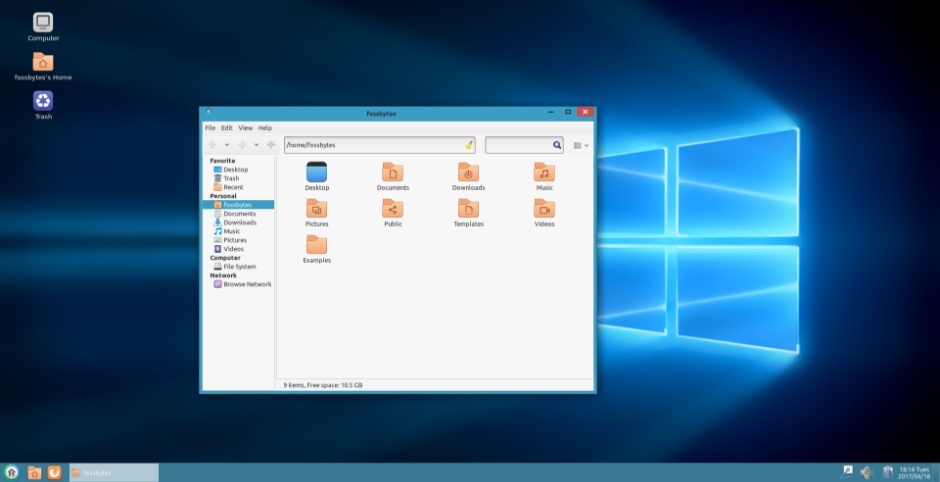
The taskbar, the file manager window look similar to what we see in Microsoft Windows but still, the difference can be easily noticeable.
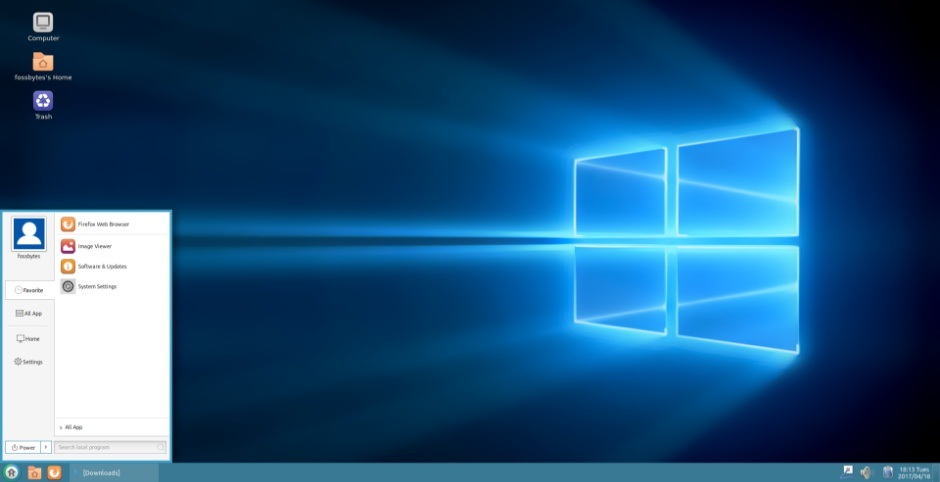
How to install UKUI on Ubuntu 17.04?
You can download UKUI from Ubuntu Software Center using the following link:
Since UKUI is developed for Ubuntu Kylin, you’ll get to see Chinese touch at various places. You can uninstall UKUI by running the following command:
sudo apt purge ukui-desktop-environment ubuntukylin-default-settings peony-common
After this, remove the Ubuntu Kylin repo from the Software & Updates> Other Software.
If you have something to add, drop your thoughts and feedback.
Comments
Post a Comment