Connecting your Chromecast device to Xbox One is a simple process. It also saves you from the trouble of switching inputs every now and then, allowing you to use both the devices simultaneously. Using the second HDMI port of your Xbox One you can set up Chromecast using the TV app in just a few steps.
witching connection for Chromecast and Xbox on your TV is quite an irritating task when you TV has limited number of HDMI ports available. These devices are meant to be connected all the time.
Chromecast compatibility on Microsoft Xbox One is a serious advantage. You can use the extra HDMI port on your Xbox One to connect your Chromecast device and use it along with the Xbox.
How to connect your Chromecast to Xbox One?
- Connect the Chromecast device to Xbox One’s spare HDMI port.
- Now, open the TV app on the Xbox One.
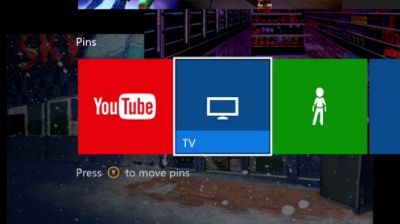
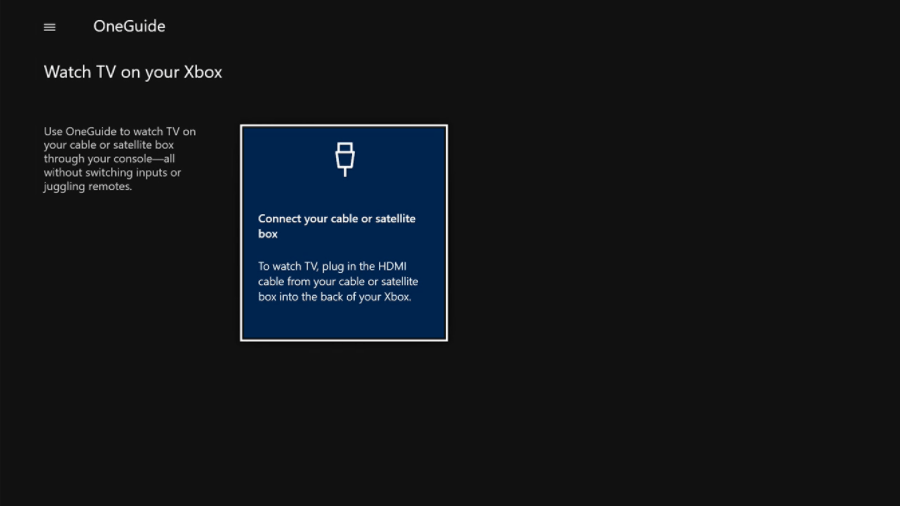
- Select the Connect your cable or satellite box option by pressing button A.
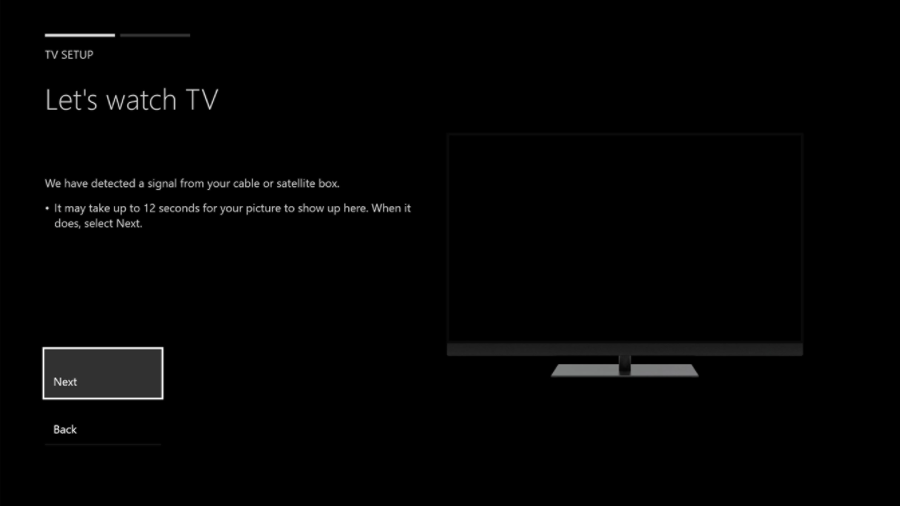
- Wait for a few seconds until Xbox detects your Chromcast. It’ll appear in the small TV frame on the screen. Click Next.
- On the next screen, click Skip to proceed further. You can click Next to set up Xbox to control your TV.
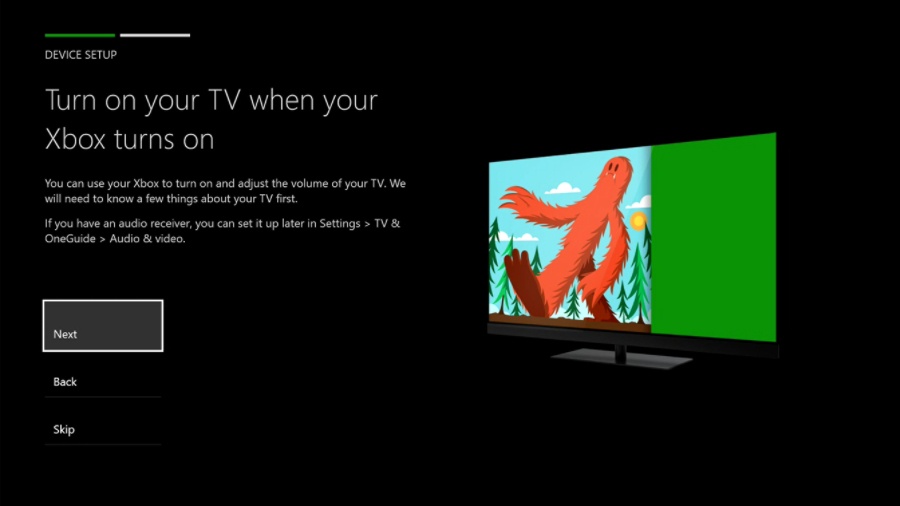
- Next, you can choose whether your Xbox One should go the home or open TV app when it starts.
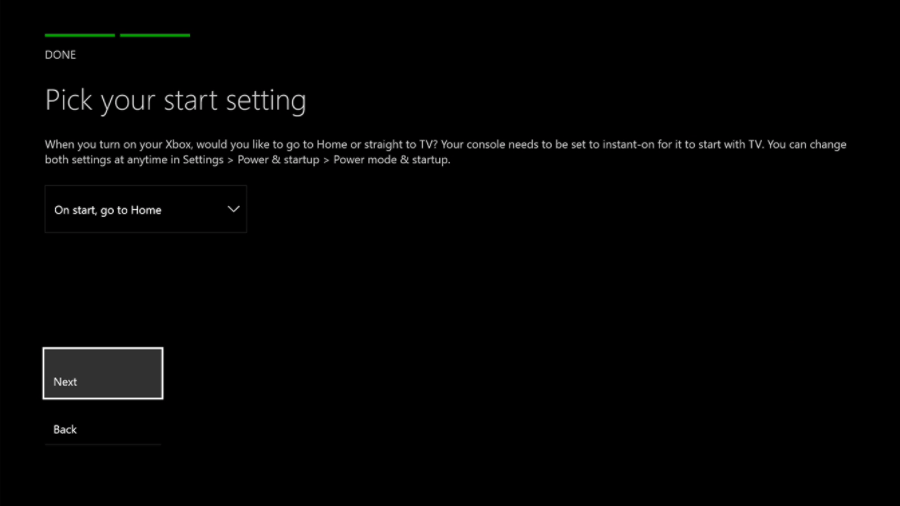
- Click Next to complete your Chromecast setup process. After this, you’ll be taken to the Chromecast screen.
So, this way you can connect your Chromecast to Xbox One. Now, you have to simply open the TV app to use Chromecast and stream content from your smartphone or computer.
How reset Chromecast configuration on Xbox?
If you experience any problems running Chromecast in the future or you want to connect a new device, you can revert the changes you have made by visiting All Settings > TV& OneGuide > Troubleshooting. On the Troubleshooting screen, click Reset TV Settings.
Cast to Xbox without Chromecast
If you don’t have a Chromecast device, you can still cast some of the apps to your Xbox One. However, I was only able to cast the YouTube app from my Android phone. If you have the Chromecast extension installed on your Chrome browser. The cast to Xbox One options is active when you are using the YouTube website.
So, did you find this helpful? Drop your thoughts and feedback inside Comments.
Comments
Post a Comment