

(Update: This feature is now available to all in Facebook Messenger app and desktop version. You need to tap and hold the message you want to react to and a select the most appropriate reaction from the pop-up.)Facebook is finally testing a dislike button. Instead of adding it to the current Reactions button for posts, the company is testing the feature in Messenger. Facebook calls it a
“no” button that can be used for quick voting and feedback. Currently, the new Dislike button feature for Messenger is in the testing phase.hen people made a demand for a dislike button on Facebook, Mark Zuckerberg gave them “Reactions“. He justified his decision of not including a dislike button by saying that it can fuel hatred on social media. But, it looks like the Facebook users are going to get the much-awaited dislike button. Well, sort of.
Instead of rolling out the feature for posts in your News Feed, the company is teasing the feature in Facebook Messenger, as reported by TechCrunch.
This new feature in Messenger will let the users stick reaction emojis to the messages in conversations. They’ll be able to click on a button next to the text to bring up different reactions. Apart from the six reactions for Facebook posts, the Messenger reactions will also have a dislike or thumbs down button.
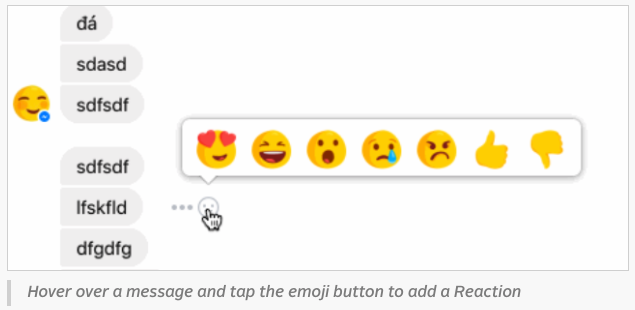
Facebook has confirmed that they are working to make Messenger “more fun and engaging.” Just like any other test feature, if Facebook will feel that people are liking this feature, it’ll be rolled out universally.
Facebook is perceiving the dislike option as a “no” button. Very often people use Messenger to coordinate and make plans. With this feature, the company hopes to make “quick logistics and voting” and voting easier.

So, did you like this upcoming feature of Facebook Messenger? Did you find it helpful? Share your opinions with us.
Update: The feature is now available to all. Make sure that your Messenger app is updated.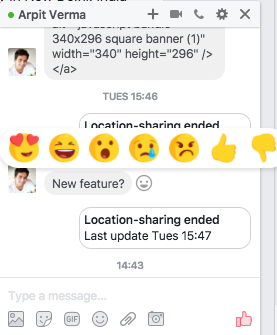
Comments
Post a Comment