
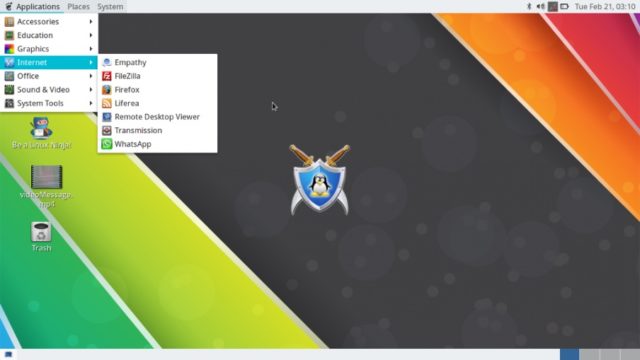
Rebellin Linux is a fast and lightweight Linux distro that’s developed for beginners. Its latest release, Rebellin Linux 3.5, has been released with Linux kernel 4.8. Based on Debian Sid, the ISO download of the distro are available in GNOME and MATE versions.
ust last week, I published the latest list of the best beginner-friendly Linux distros. Here, I’m going to share the news of the release of another desktop Linux distribution that’s suitable for new users who are looking for a fast and smart-looking operating system. It’s also a lightweight distro that needs just 512MB RAM to run.
The latest release of Rebellin Linux, i.e., Rebellin Linux 3.5, has been rolled out by the developers. Built on a Debian base and the previous release, the developers have called it the best Debian Sid-based operating system. Wondering what’s the basis for this claim? Well, they’re saying so because they’ve email support.
Now, let’s take a look at what Rebellin Linux 3.5 has to offer:
Rebellin Linux 3.5 features and changes
1. Linux kernel 4.8
Rebellin Linux 3.5 uses Liquorix Kernel version 4.8. The developers have called it more reliable as compared to the kernel available in the official Debian repos.
2. GNOME 3.22.2 and MATE 1.16.1
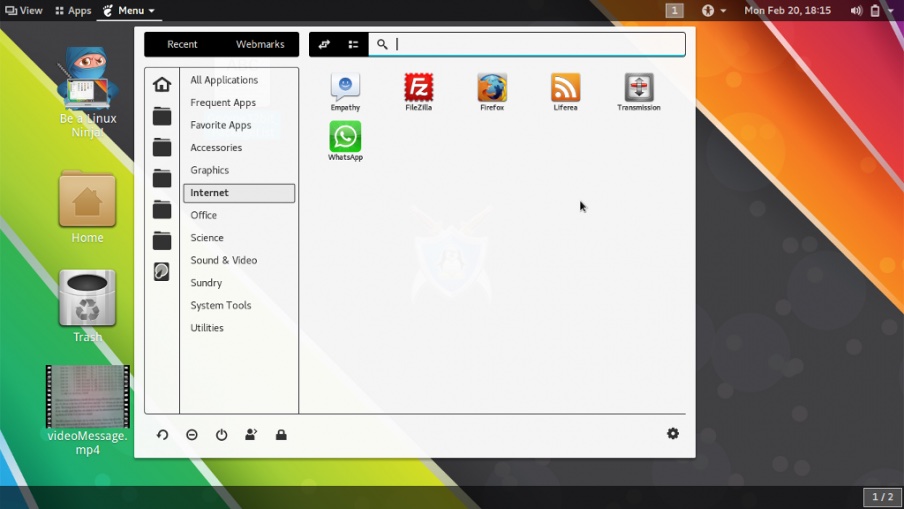
Rebellin Linux offers two choices of desktop environments — GNOME and MATE. With Rebellin 3.5, GNOME shell has been upgraded to v3.22.2 and MATE has been upgraded to v1.16.1.
3. Material design
A new material design theme ship with the latest release. So, if you’re a fan of this look, you’re in for a treat.
4. WhatsApp client
Developers of Rebellin Linux call the addition of a WhatsApp client for Linux the biggest addition. The client is also available for download for other distros too.
5. AMD APU improvement
With some improvements, Rebellin Linux 3.5 works perfectly with AMD APUs. Developers have found it to be perfectly working on an AMD A4-1200 processor.
6. VLC replaced by Totem
VLC media player has been replaced by Totem, the default media player for most Gnome-based distros. The developers haven’t given any exact reasons for this change.
7. Miscellaneous changes and updates
Most of the drivers and packages have been updated, MTP support added, touchpad issues added, etc.
Just in case Rebellin Linux 3.5 appeals you, you can visit their website and grab 32-bit and 64-bit ISO images based on GNOME or MATE.
After trying out Rebellin Linux, don’t forget to share your views and feedback. Good luck!
Comments
Post a Comment